Five updates for your field teams:
- Tighter attendance control
- Live visibility from the moment an employee logs in
- Clearer routes on the map
- Geo-fencing that now works at the task level
Here’s everything we shipped in July. It is all live in your account – the only two items that need a one-time setup are Shift –Based Attendance & Task-Based Geo-Fencing, and both are covered below.
Shift-Based Mobile Attendance
Field users on the FieldTrace android mobile app can now punch in only during their allocated shift timings. Once the shift ends, they are punched out automatically — so attendance stays aligned to the shift you actually rostered, and hours nobody approved stop showing up on the sheet. Shifts also support applicable over-time, so genuine extra hours are still captured rather than cut off. This video covers how to set up shift management end to end, including the over-time configuration:
Please go through it for a complete walkthrough.
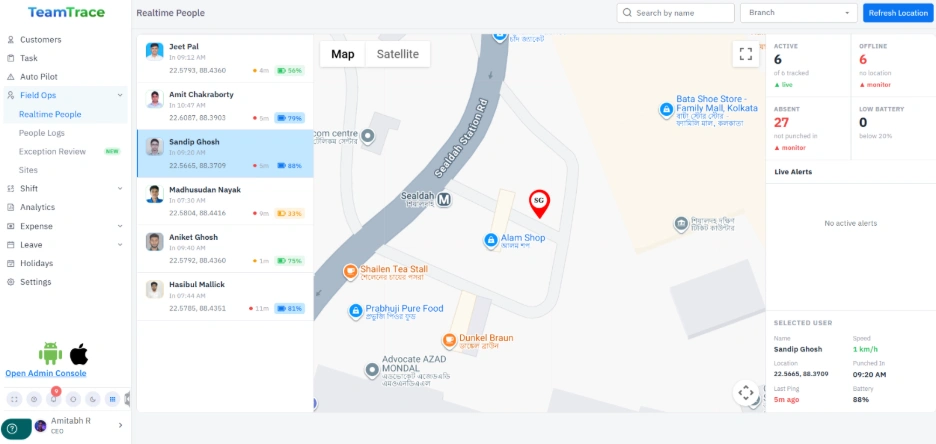
Real-Time Live User Location
Once a user logs in to the FieldTrace app, Managers and Admins can view their live location on the map. The location is refreshed at regular intervals, enabling them to track the employee’s latest recorded location directly from the platform.
Travel Mode
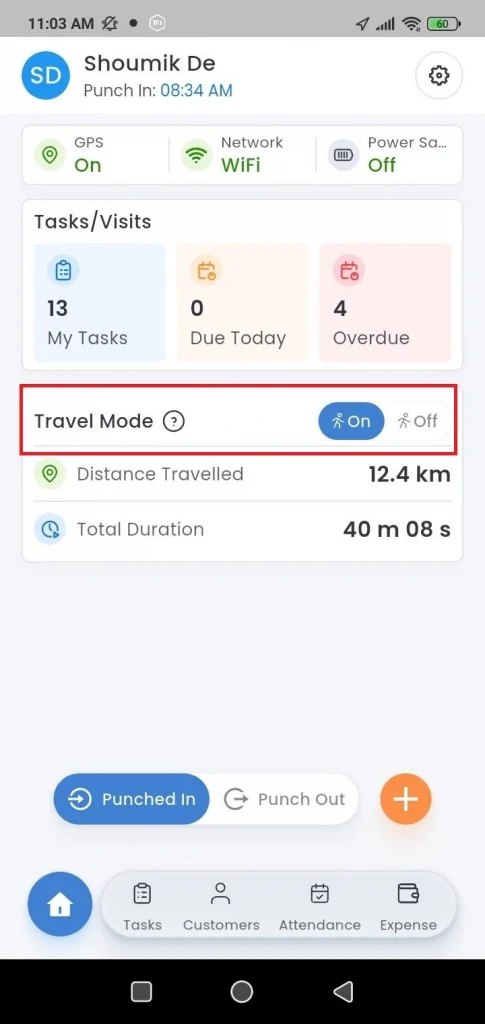
Keep tracking running as usual or switch it off to save battery. It auto-resumes the moment the user moves a significant distance. Employees get through a full day without hunting for a charger, and you still keep a continuous trail of the journey.
Color Coded Routes for Tasks
The People Logs map now separates task travel from the rest of the day’s movement. The full path a user covered is drawn as the Actual Route, and the stretch travelled while a task was active is overlaid on top of it in a distinct colour.
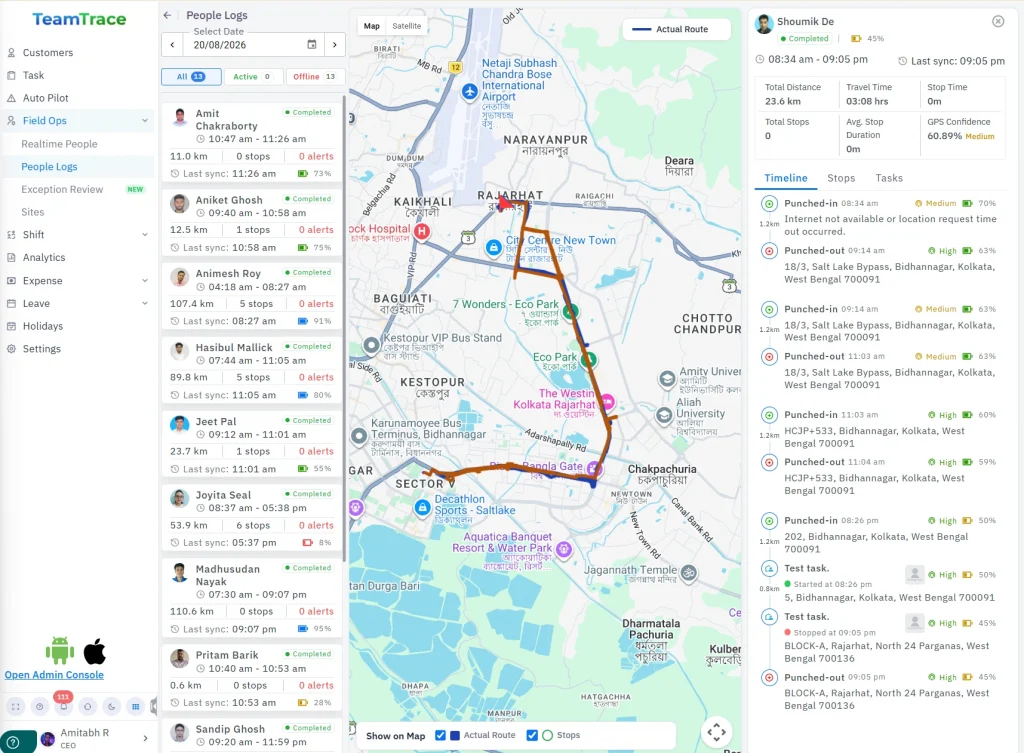
Instead of reading one continuous line, you can see at a glance which leg of the journey belonged to which task, where the user went in between, and how much of the day’s distance was actually task-related.
Task Based Geo-Fencing
Task-based geo-fencing is switched on per user from the Settings section. Once an admin enables it for an assigned user, any task carrying a customer address is fenced to that customer’s location — the user has to be inside the geo-fenced area to start the task. Stopping it is unrestricted, so they can close the task wherever they end up. A visit can’t be opened from the car park two kilometers away or from home, and employees aren’t held on site just to mark it done.